
Android 17 Beta Rolls Out Before Siri AI Launch: How to Install & Supported Devices
Android 17 Beta: How to Install, Supported Devices & New Features
Android 17 Beta is officially rolling out, bringing powerful AI upgrades, performance improvements, and enhanced privacy controls. With Android moving ahead before major AI upgrades from competitors, users are eager to test the Android 17 Beta update on supported devices.
If you’re searching for Android 17 Beta supported devices, Android 17 Beta features, and how to install Android 17 Beta, this complete guide covers everything in detail.
What is Android 17 Beta?
Android 17 Beta is the early testing version of the upcoming Android 17 operating system. It allows developers and early adopters to explore new features before the official stable release.
This beta version focuses heavily on:
- AI-powered system intelligence
- Improved battery optimization
- Stronger privacy protection
- Smooth UI animations
- Faster app performance
Android 17 Beta Features
1. Advanced AI Integration
Android 17 Beta improves on-device AI processing, enabling:
- Smarter voice typing
- Better predictive app suggestions
- AI-powered system automation
2. Improved Privacy Dashboard
Users now get:
- Real-time permission tracking
- Background app alerts
- Enhanced data-sharing transparency
3. Better Performance & Battery
The Android 17 Beta update includes:
- Reduced background resource usage
- Faster app launching
- Optimized power consumption
4. UI Enhancements
- Refined Material Design elements
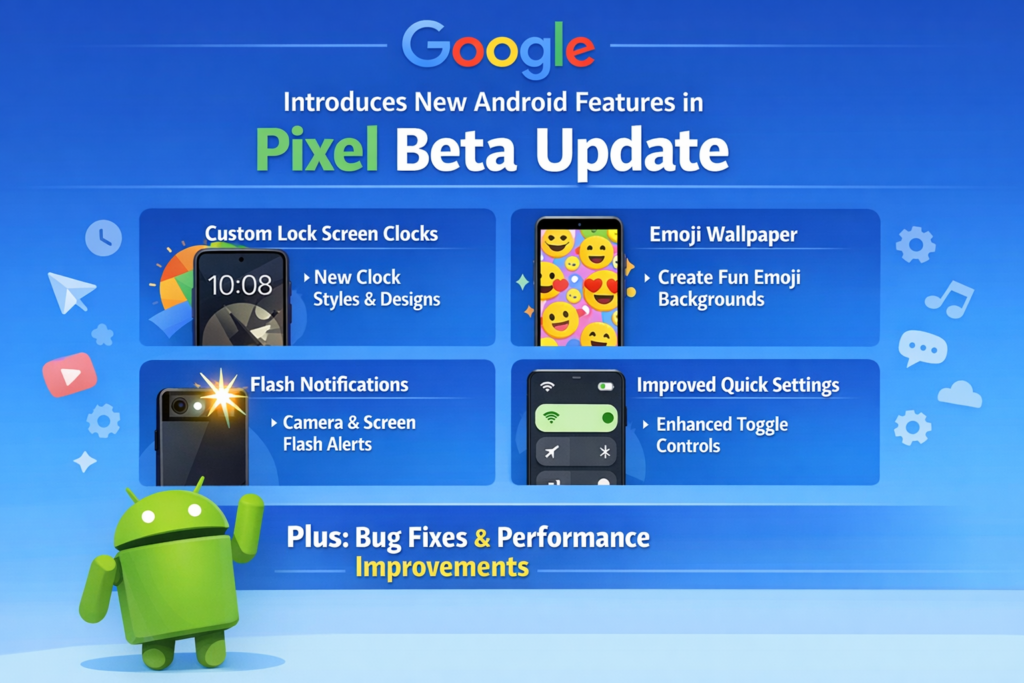
- Lock screen widget customization
- Smarter notification grouping
Android 17 Beta Supported Devices
Currently, Android 17 Beta is available for select Pixel devices including:
- Google Pixel 9
- Google Pixel 9 Pro
- Google Pixel 8
- Google Pixel 8 Pro
- Google Pixel 7
- Google Pixel 7 Pro
More brands may announce Android 17 Beta testing soon.
How to Install Android 17 Beta (Step-by-Step Guide)
If you want to install Android 17 Beta, follow these simple steps carefully:
Step 1: Backup Your Data
Since this is a beta version, bugs may exist. Backup your:
- Photos
- Contacts
- Important documents
Step 2: Join the Android Beta Program
- Visit the official Android Beta Program website
- Sign in with your Google account
- Select your eligible Pixel device
- Click on “Enroll Device”
Step 3: Download the Android 17 Beta Update
- Open Settings
- Tap System
- Select Software Update
- Download and install Android 17 Beta
Step 4: Restart Your Device
After installation, your phone will reboot automatically and start running Android 17 Beta.
Should You Install Android 17 Beta?
Install Android 17 Beta if:
✔ You are a developer
✔ You want early access to new features
✔ You enjoy testing new software
Avoid installing Android 17 Beta if:
✖ You rely on your device for daily work
✖ You prefer stable, bug-free performance
SEO Meta Description
Android 17 Beta is now rolling out with powerful AI upgrades, privacy improvements, and performance boosts. Learn how to install Android 17 Beta, check supported devices, and explore new features in this complete guide.
Conclusion
Android 17 Beta introduces smarter AI features, better battery management, and stronger privacy controls. If you own a supported Pixel device and want to experience the future of Android early, the Android 17 Beta update is worth trying.
However, since it is still in testing, always install it carefully and keep backups ready. The official stable version will likely deliver even more refined performance once fully launched.
SEO Keywords
Android 17 Beta
Android 17 Beta features
How to install Android 17 Beta
Android 17 Beta supported devices
Android 17 update download
Google Pixel Android 17 Beta
Hashtags
#Android17Beta #Android17 #GooglePixel #AndroidUpdate #TechNews #AndroidAI #BetaProgram #SmartphoneUpdate




Leave a Reply
You must be logged in to post a comment.